 ApplyLog
ApplyLog
ApplyLog
ApplyLog is a free Chrome extension for job and internship hunters. Add a job in one click and it's saved straight to a Google Sheet in your own account — no separate tracker to keep updating by hand.
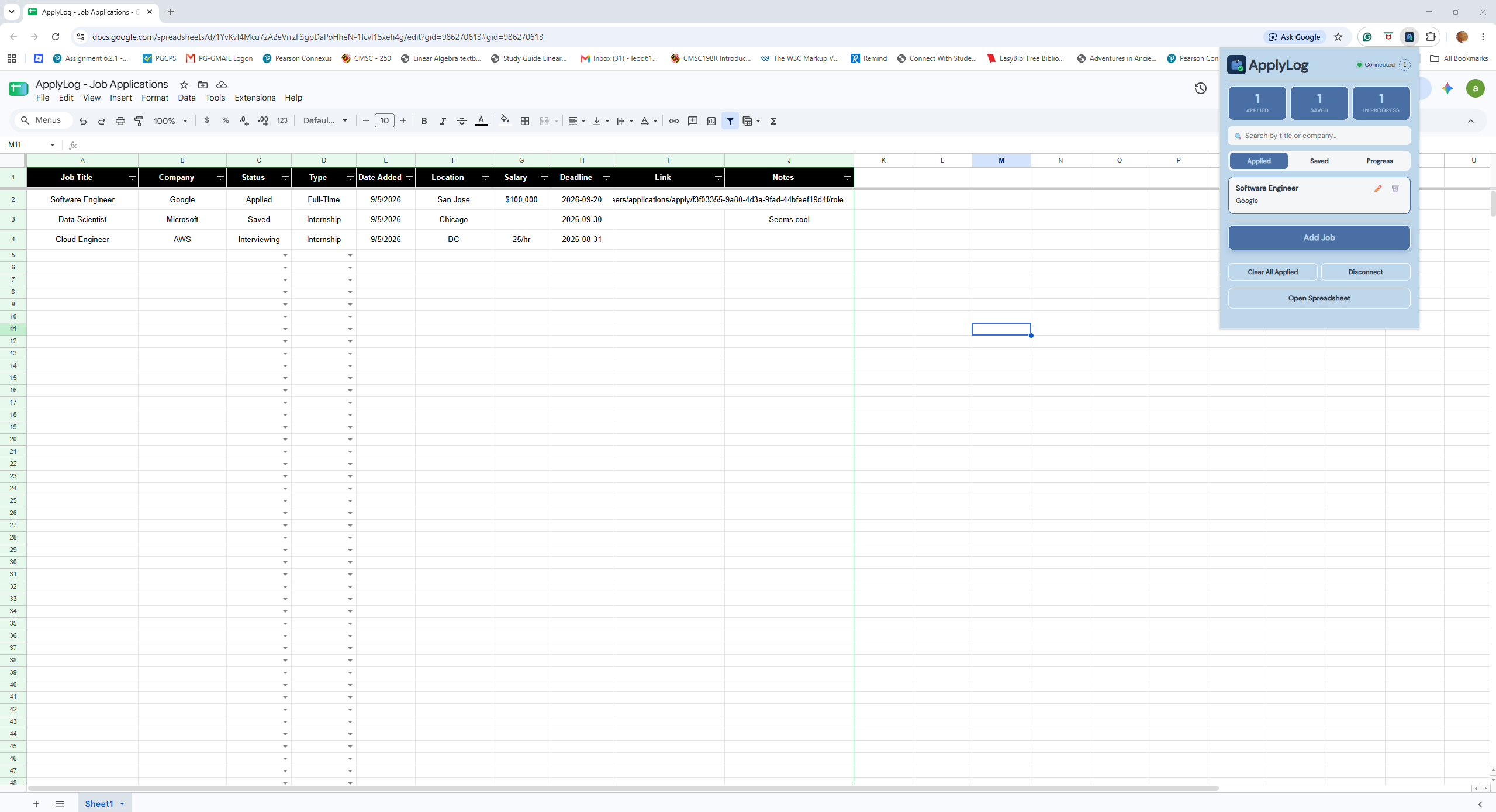
Click the extension icon, connect your Google account once, and ApplyLog handles the spreadsheet for you — creating it, formatting it, and keeping it organized as you apply.
ApplyLog only ever touches spreadsheets it made itself, or ones you explicitly hand it. Here's exactly what that means.
Google Sheets and Google Drive, scoped to the "ApplyLog - Job Applications" spreadsheet it creates in your account, plus — only if you use the import feature — the one old spreadsheet you pick through Google's own file picker.
ApplyLog can't browse or search your Drive on its own. It only ever sees files it created itself or that you explicitly selected through Google's picker — nothing else.
Disconnect at any time from the extension popup to revoke access and clear cached tokens. Your spreadsheet stays in your Drive either way.